Smart Variations
Modify character poses and add/remove elements with AI
Overview
Smart Variations empowers you to modify existing artwork by changing character poses, expressions, and dynamically adding or removing design elements. Select any image in Figma, describe the pose change or elements you want to add/remove, and watch the AI intelligently transform your design.
Perfect for creating character animation frames, exploring different compositional options, or adapting designs for various contexts. The AI maintains style consistency while giving you complete control over poses and design elements.
Key Capabilities
Character Pose Modification
Transform character poses dynamically - from standing to sitting, walking to jumping, or waving to pointing. Change arm positions, leg stances, body angles, and facial expressions while maintaining character identity and design consistency. Ideal for creating animation sequences, storyboards, or multiple character states.
Intelligent Element Addition
Add new elements seamlessly into your designs - accessories, props, background objects, decorative elements, or text overlays. The AI understands context and perspective, placing new elements naturally and maintaining visual harmony with the original artwork's style, lighting, and composition.
Smart Element Removal
Remove unwanted elements intelligently - the AI doesn't just delete, it reconstructs what should be behind removed objects. Remove backgrounds, accessories, text, or any design element while the AI fills in appropriate details, maintaining natural composition and style continuity.
Expression and Gesture Control
Modify facial expressions and hand gestures with precision - change from neutral to smiling, serious to excited, or create specific hand gestures like thumbs up, peace sign, or pointing. Perfect for character sheets, emotional variations, or communication-focused designs.
Examples
Change Character Pose
Transform a character from one pose to another while maintaining style and identity
Selected in Figma
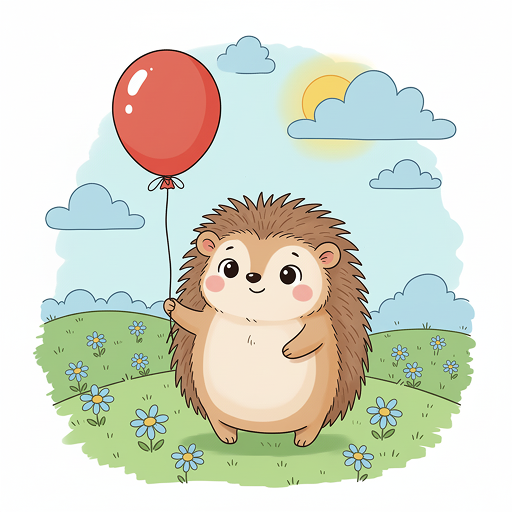
Your Prompt
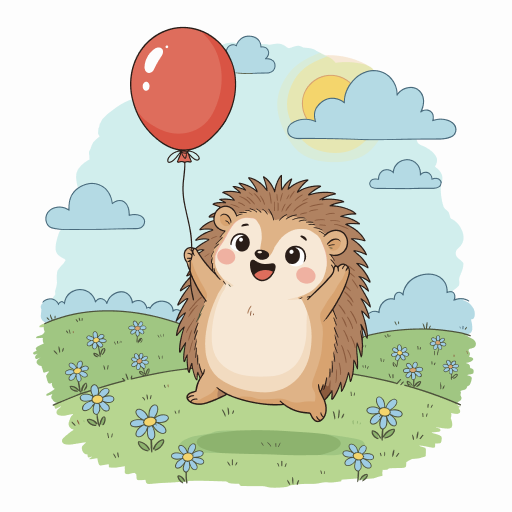
“Change the hedgehog to a jumping pose with both arms raised up in excitement, and make it look like it's about to catch the balloon”
AI Result
Add Design Elements
Seamlessly add new elements into your existing artwork
Selected in Figma
Your Prompt
“Add a party hat on the hedgehog's head, a small gift box next to it, and more colorful balloons floating in the background”
AI Result

Remove Design Elements
Intelligently remove elements and reconstruct the background
Selected in Figma
Your Prompt
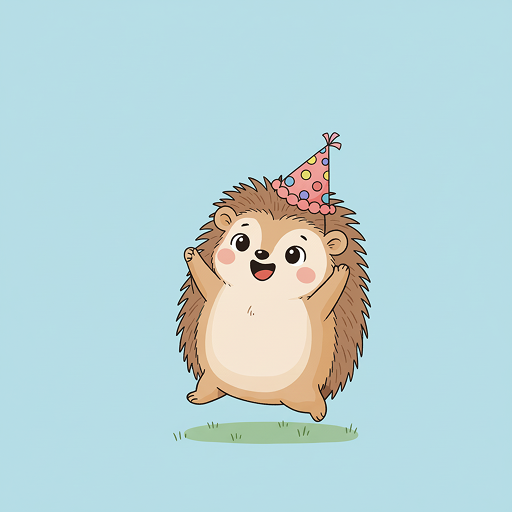
“Remove the balloon, clouds, and all flowers. Keep only the hedgehog on a simple grass field with a plain sky background”
AI Result
Common Use Cases
Animation & Storyboarding
Create multiple character poses and expressions for animation frames, motion sequences, and detailed storyboards.
Character State Variants
Generate different states of characters - idle, active, excited, tired - for games, apps, or interactive designs.
Product Customization
Add or remove accessories, features, or elements to show product variations and customization options.
Design Simplification
Remove unnecessary elements to create cleaner, more focused versions of complex designs.
Context Adaptation
Modify poses and add contextual elements to adapt characters for different scenarios and environments.
Icon Set Creation
Generate multiple gesture variations and expressions to build comprehensive icon and emoji sets.
Getting Started
- Select your artwork in Figma - Click on the character or design you want to modify
- Open Vector Art AI plugin - Your selected image will be loaded automatically
- Describe the modification - Tell the AI what pose change you want or what elements to add/remove (e.g., “change to jumping pose”, “add a hat”, “remove background”)
- Generate and review - The AI creates your variation while maintaining the original style
- Refine or create more - Continue chatting for adjustments, or regenerate for different interpretations
- Place on canvas - Click “Place as Vector” or “Place as Pixel” to add to your Figma file
Ready to Modify Poses and Elements?
Install Vector Art AI and start changing character poses and adding/removing design elements with AI.
Use Vector Art AI