Text-to-Vector Creation
Generate vector artwork from text descriptions
Overview
Text-to-Vector Creation lets you generate vector artwork from scratch using only text descriptions. Open the plugin (without selecting anything), describe what you want, and the AI creates professional vector graphics ready for your designs.
Perfect for creating icons, illustrations, patterns, and graphics when you don't have existing artwork to start from. The conversational interface lets you refine results until they match your vision.
Key Capabilities
Icon Generation
Create custom icons for apps, websites, and interfaces by describing their purpose and style. Generate complete icon sets with consistent styling, or produce individual icons for specific needs. The output is clean, scalable vector perfect for any resolution.
Illustration Creation
Generate illustrations for marketing materials, editorial content, or presentations. Describe scenes, characters, objects, or concepts and receive fully-realized vector illustrations that match your specifications and desired artistic style.
Pattern and Texture Design
Create seamless patterns, textures, and decorative elements from text descriptions. Perfect for backgrounds, textile designs, packaging graphics, or any project requiring repeating visual motifs. Generate unique patterns that match specific themes or aesthetics.
Custom Graphics
Produce specialized graphics for any purpose—logos, badges, emblems, decorative elements, infographic components, or abstract designs. The AI understands design principles and creates balanced, professional-looking graphics from your descriptions.
Examples
Custom Icon Creation
Create professional icons from text descriptions
Your Prompt
“A minimalist coffee cup icon with steam lines, simple line art, monochrome”
AI Result
Character Illustration
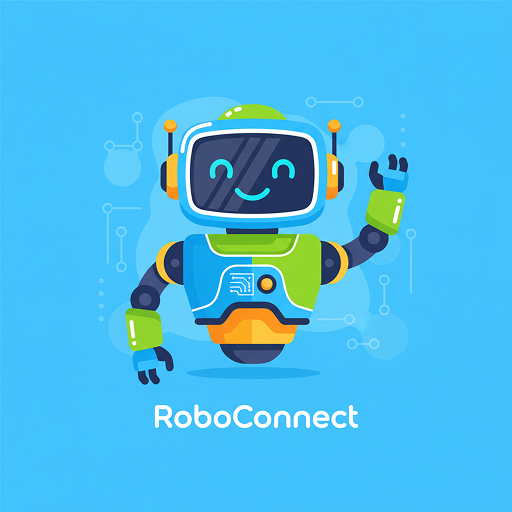
Generate complete illustrations for marketing and branding
Your Prompt
“A friendly robot mascot giving thumbs up, flat design, bright colors, tech startup vibe, blue background”
AI Result

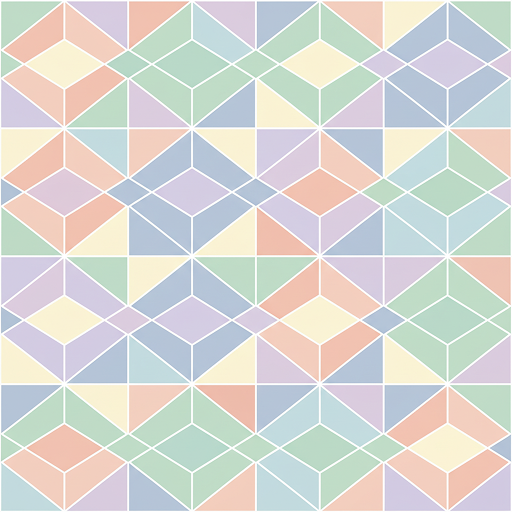
Seamless Pattern
Create repeating patterns and backgrounds
Your Prompt
“Seamless geometric pattern with hexagons and triangles, pastel colors, modern minimalist”
AI Result
Common Use Cases
App Development
Quickly generate custom icons and UI graphics for applications without hiring an illustrator.
Marketing Materials
Create unique illustrations and graphics for campaigns, presentations, and promotional content.
Rapid Prototyping
Generate placeholder graphics and icons during the design process for quick mockups and prototypes.
Brand Assets
Explore logo concepts, create brand illustrations, or develop visual identity elements from descriptions.
Tips for Better Results
Be Specific About Style
Include style descriptors like "minimalist," "flat design," "line art," or "geometric" to guide the AI's artistic direction.
Describe Key Elements
Mention specific objects, shapes, or components you want included, along with their relationships and arrangement.
Specify Colors and Mood
Reference color palettes or emotional tones to help the AI create graphics that match your vision and brand guidelines.
Iterate and Refine
Generate multiple versions with slightly different prompts to explore variations and find the perfect result.
Getting Started
- Open Vector Art AI plugin - Launch without selecting anything in Figma
- Describe what you want to create - Be specific about style, colors, and elements (e.g., “minimalist cloud icon, blue, line art”)
- Review the generated artwork - The AI will create vector graphics based on your description
- Refine through conversation - Request changes (e.g., “make it more colorful”, “add more details”)
- Try variations - Click regenerate to see alternative versions
- Place on canvas - Add your creation to Figma as vector or pixel art
Ready to Create from Text?
Install Vector Art AI and start generating vector artwork from your ideas today.
Use Vector Art AI